
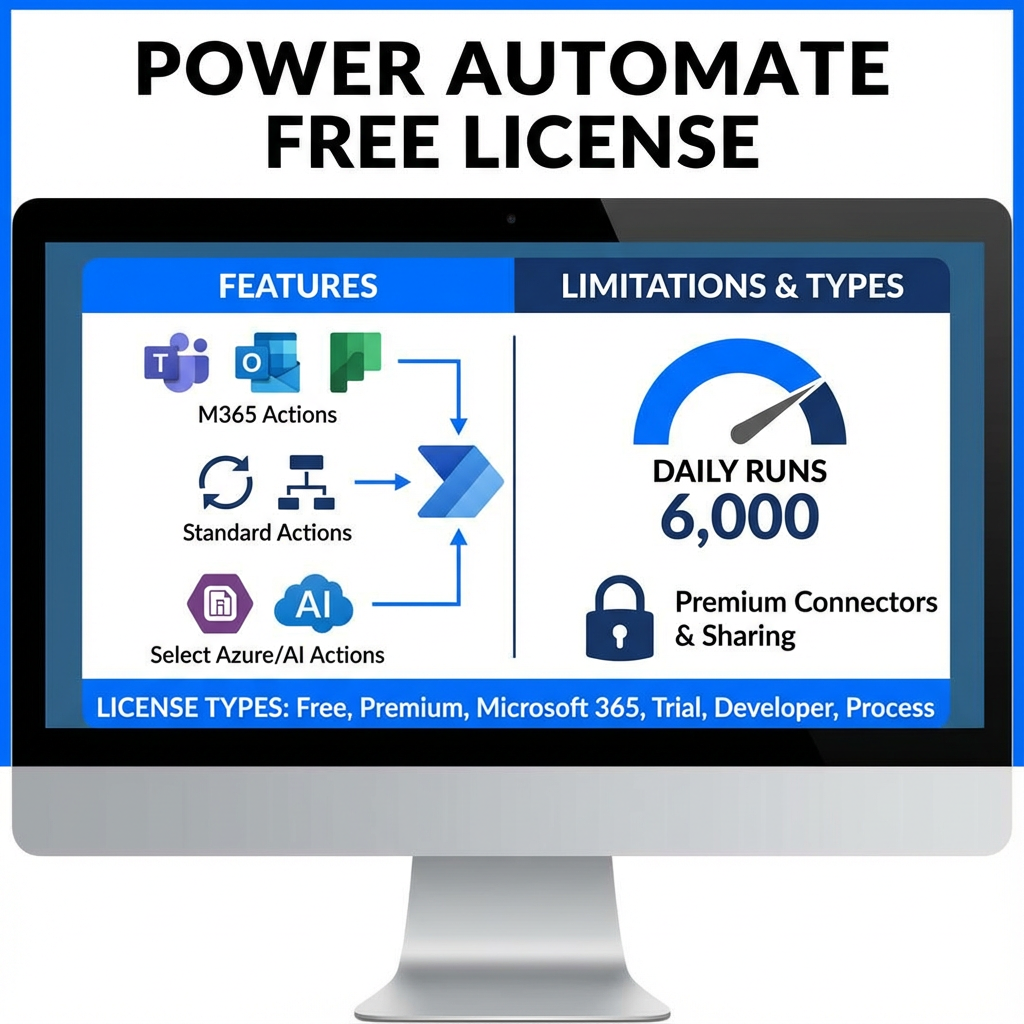
Power Automate Free License includes:
- Actions in M365 services (Teams, Planner, Outlook, etc.)
- Standard actions (Loops, conditions, etc.)
- Selected actions for Azure and other major providers (Blob, Azure Form Recognizer, AI Foundry)
- Limit of approximately 6,000 runs per day per user
This is a free plan for corporate users that enables creating and running cloud flows with standard connectors and local execution of desktop flows in attended mode. It’s the basic version available at no cost for work accounts in a Microsoft Entra tenant, with limitations regarding premium connectors and flow sharing.
License Types:
- Free
- Premium
- Microsoft 365 (included in Business Basic, Standard, Premium)
- Trial
- Developer
- Power Automate Process
- Dynamics (included in Microsoft’s ERP licenses)
Detailed Capabilities of Power Automate Free License
1. Cloud Flows
The free license allows you to:
- Create cloud flows – you can build an unlimited number of automations
- Run flows – flows execute according to configured triggers
- No sharing capability – you cannot share flows with other users
- Run limit: approximately 6,000 runs per day per user (flexible limit in practice)
2. Standard Connectors
The Free license provides access exclusively to standard connectors, which include:
- Microsoft 365 – Outlook, Teams, SharePoint, OneDrive, Excel Online
- Azure Services – Azure Blob Storage, Azure DevOps
- Popular tools – Approvals, Notifications, HTTP, RSS
- Business services – Dataverse for Teams (basic version)
Important limitation: You don’t have access to premium connectors (e.g., Salesforce, SAP, Oracle, SQL Server) or custom connectors.
3. Desktop Flows (RPA)
The free license includes:
- Creating desktop flows – you can build RPA automations locally
- Running in attended mode – flows run on your computer when you’re logged in
- No unattended mode access – you cannot run bots without supervision
- Premium feature limitations – no access to advanced actions and RPA connectors
4. API Request Limits (Power Platform Requests)
The Free license doesn’t have a dedicated PPR (Power Platform Requests) limit, but:
- Uses a shared pool available in the environment
- In practice, this is significantly less than the 40,000 daily requests (available in the Premium plan)
- With intensive use, you may encounter performance limitations
5. No Access to Advanced Features
The free license does not include:
- ❌ Process Mining – process exploration and analysis
- ❌ AI Builder – artificial intelligence credits
- ❌ Business Process Flows
- ❌ Managed Environments
- ❌ Dataverse storage capacity (beyond minimal)
Who Is Power Automate Free License For?
Ideal Users:
✅ Learners – students and beginners exploring automation
✅ Individual users – employees automating their own tasks
✅ Small projects – simple automations without sharing requirements
✅ Testers – people experimenting before purchasing Premium license
When You Need Premium License:
❗ When you need premium connectors (Salesforce, SQL Server, SAP)
❗ When you want to share flows with other users
❗ When unattended RPA automation is required
❗ When you need higher performance and higher API limits
❗ When designing business process flows
Comparison: Free vs Premium vs Process
| Feature | Free | Premium | Process |
|---|---|---|---|
| Price | $0 | ~$15/month/user | ~$150/month/flow |
| Standard connectors | ✅ | ✅ | ✅ |
| Premium connectors | ❌ | ✅ | ✅ |
| Flow sharing | ❌ | ✅ | ✅ |
| Attended RPA | ✅ (locally) | ✅ | ❌ |
| Unattended RPA | ❌ | ❌ | ✅ |
| Daily PPR limit | Shared | 40,000 | 250,000 |
| AI Builder | ❌ | 5,000 credits | 5,000 credits |
| Process Mining | ❌ | ✅ | ❌ |
Frequently Asked Questions (FAQ)
Is the Free license truly free?
Yes, Power Automate Free license is completely free for corporate users with a Microsoft Entra (Azure AD) account. It doesn’t require purchasing any add-ons and is available automatically.
How many flows can I create on the free license?
There’s no limit to the number of flows you can create. Limitations mainly concern runs (approximately 6,000 daily) and available connectors (standard only).
Can I use SharePoint and Teams with the free license?
Yes! SharePoint Online, Microsoft Teams, Outlook, and other Microsoft 365 services are available as standard connectors in the Free license.
Do I need a separate Microsoft 365 license?
To use Microsoft 365 connectors (like SharePoint or Outlook), you must have an appropriate Microsoft 365 license that provides access to those services. The Power Automate Free license alone doesn’t provide access to data in those systems.
Can I upgrade from Free to Premium?
Yes, you can purchase a Power Automate Premium license at any time. All your flows will be preserved and automatically gain access to premium features.
How to Get Started with Power Automate Free License?
Step 1: Sign in to Power Automate
- Go to flow.microsoft.com
- Sign in with your work account (Microsoft Entra)
- The Free license will be automatically assigned
Step 2: Check Your License
In the Power Automate portal:
- Click Settings (⚙️)
- Select View my licenses
- In the “My licenses” section, you’ll see “Power Automate Free”
Step 3: Create Your First Flow
- Click Create in the main menu
- Select Automated cloud flow
- Use a template or start from scratch with standard connectors
Learn more about getting started with Power Automate in your organization and ideas for first automations from our article:
Power Automate – What is it? How to automate BackOffice work
Limitations of Power Automate Free License – What You Should Know
1. No Sharing Capability
The biggest limitation is the inability to share flows with other users. If you’re building automation meant to be used by a team, you need a Premium or Process license.
2. Standard Connectors Only
You don’t have access to premium connectors, such as:
- Salesforce
- SQL Server (on-premises)
- SAP
- Oracle Database
- HTTP with Azure AD (advanced)
3. No Unattended RPA Mode
Desktop flows can only run when you’re logged into the computer. You cannot leave a bot working after hours without your presence.
4. Limited Support and SLA
The free license doesn’t include a guaranteed service level agreement (SLA) or priority technical support.
When Should You Upgrade to a Paid License?
Signs You Need Premium (per user):
🔴 Your team wants to use your flows
🔴 You need connection to premium systems (CRM, ERP)
🔴 You’re hitting API limits and flows are running slowly
🔴 You want to build business process flows
🔴 You need AI Builder features
Signs You Need Process (per flow):
🔴 One flow is used by multiple users
🔴 You need unattended RPA automation
🔴 The flow processes large amounts of data (high PPR)
🔴 You want to run bots after hours without supervision
Official Microsoft Documentation
Find more detailed information in the official documentation:
- Types of Power Automate licenses – Complete guide to all license types
- Power Automate Free license – Free license details
- Power Automate licensing FAQ – Frequently asked questions
- Request limits in Power Automate – API limits information
- Power Automate pricing guide – Official license pricing
Summary
Power Automate Free License is an excellent starting point for people beginning their journey with business process automation. It offers a solid set of features for creating basic automations using Microsoft’s standard connectors.
Key features of the Free license:
- ✅ Free for corporate users
- ✅ Creating and running cloud flows
- ✅ Access to standard connectors (Microsoft 365, Azure)
- ✅ Local RPA flows in attended mode
- ❌ No flow sharing
- ❌ No premium connectors
- ❌ No unattended RPA mode
If your needs exceed these capabilities, consider upgrading to Power Automate Premium license (for individual users) or Power Automate Process (for corporate flows).
Start your automation journey today at flow.microsoft.com and discover Power Automate’s possibilities!
About the Author
Business Process Automation and Microsoft Power Platform Expert
Working with Power Automate since 2018 (from the FLOW days). Accelerated many processes in numerous organizations. Hundreds of hours spent creating flows to make them error-resistant. Experience in the entire organizational improvement process:
- Microsoft Power Automate – designing and implementing cloud flows and RPA automation
- Power Platform – comprehensive solutions including Power Apps, Power BI, and Power Automate
- Business process optimization – analyzing and improving workflows in organizations
- Microsoft licensing – consulting on selecting appropriate licenses for companies
We regularly follow Microsoft documentation updates and participate in the Power Platform community, sharing knowledge and best practices in business process automation.
Why Can You Trust This Article?
✓ Information from Microsoft sources – all data based on official documentation
✓ Practical experience – advice from real implementations
✓ Current content – regularly verified and updated
✓ Clear language – complex topics explained simply
If you have questions about Power Automate or need help selecting the right license for your organization, feel free to contact us through comments or social media.
Article updated: January 2025 | All information compliant with official Microsoft documentation
Comments
1 response to “Quick Answer: What Does Power Automate Free License Offer?”
[…] Więcej o power automate […]